API Key Management
Manage and validate all external AI provider credentials used by Mohet.
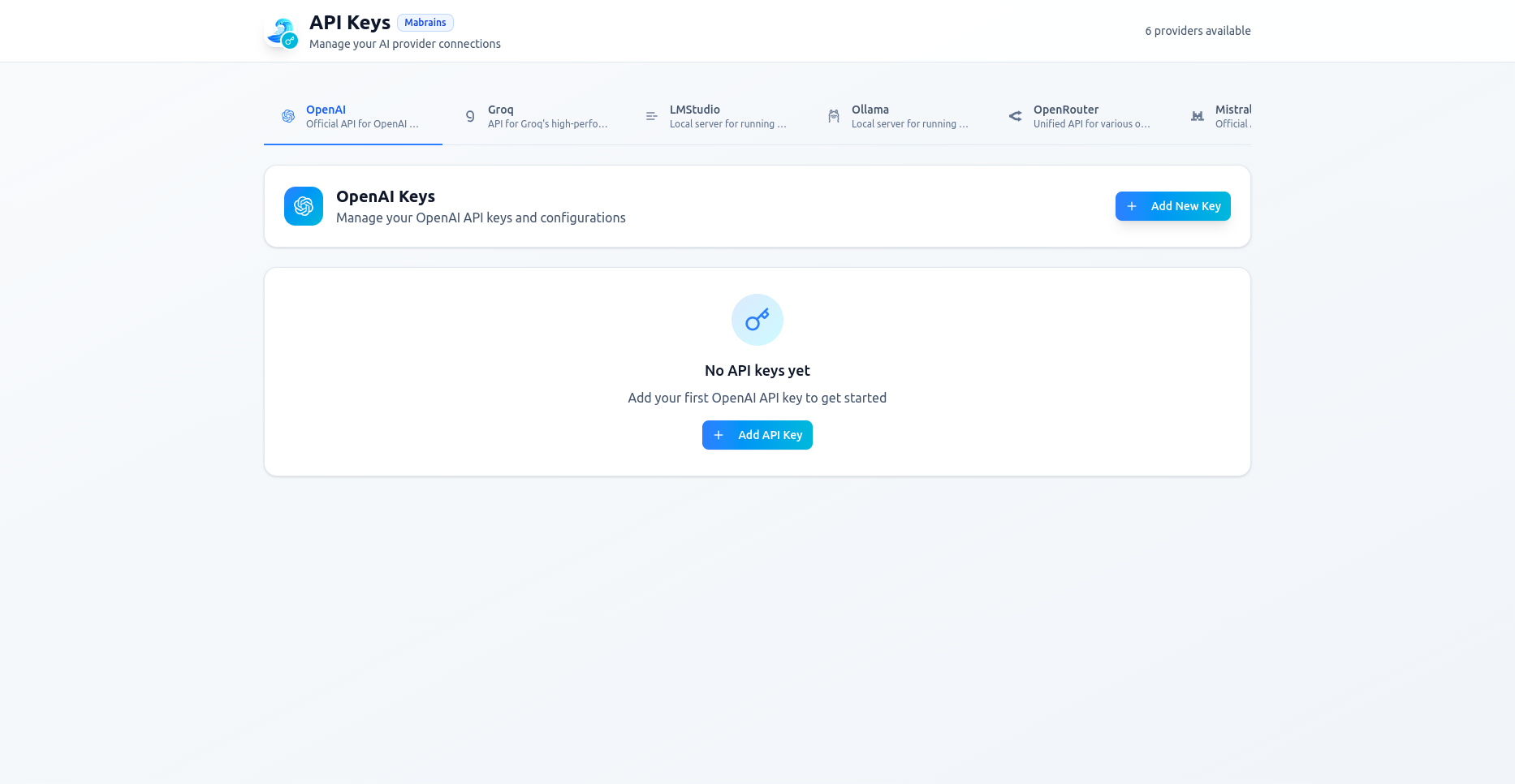
Mohet supports multiple providers such as OpenAI, Groq, LMStudio, Ollama, OpenRouter, and Mistral. Each provider can have multiple saved keys, and you can switch between them at any time from the chat header.
Accessing API Key Management
From the Mohet header, open the provider dropdown and select Manage API Keys:
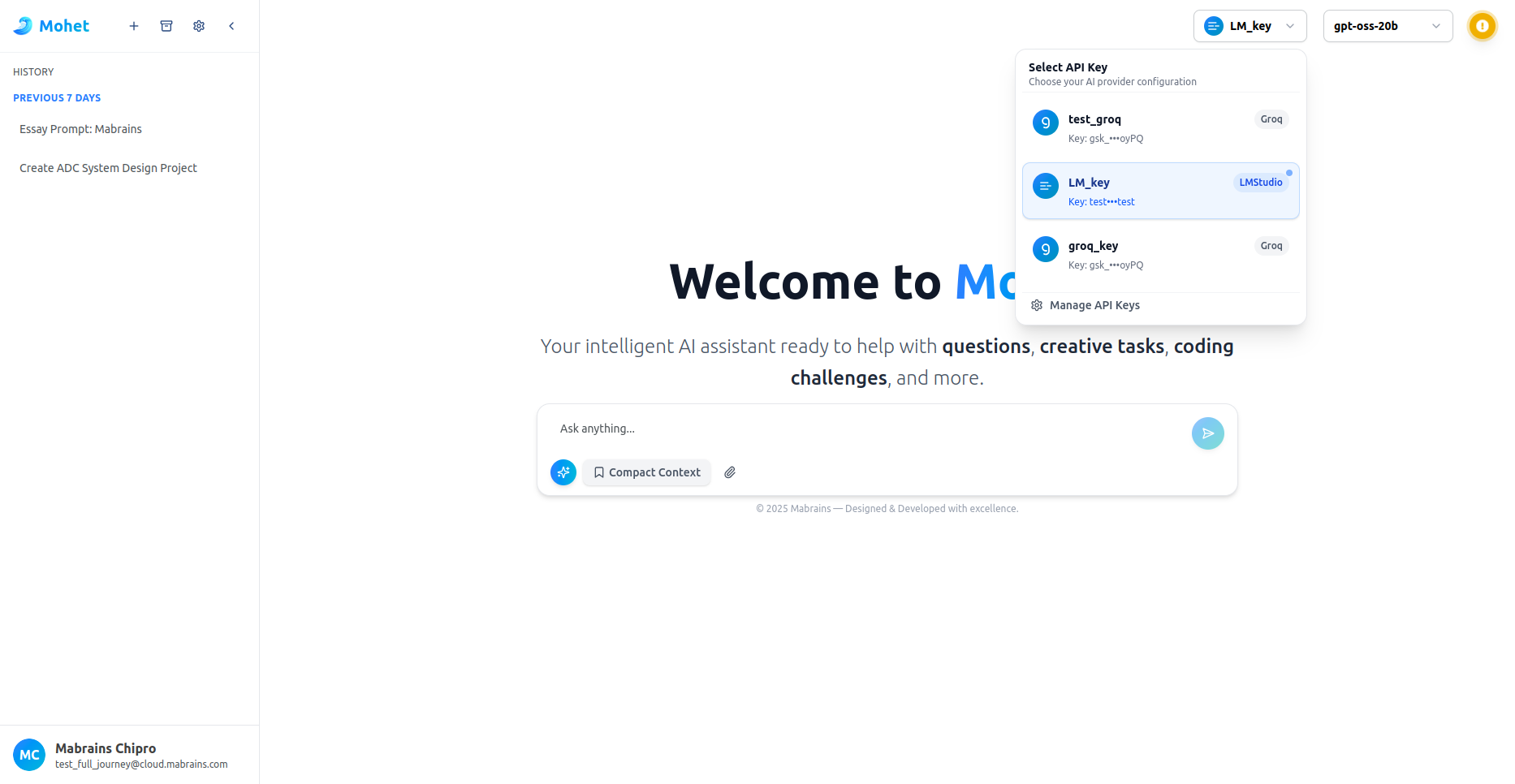
This opens the full API Key Management page.
Provider Tabs
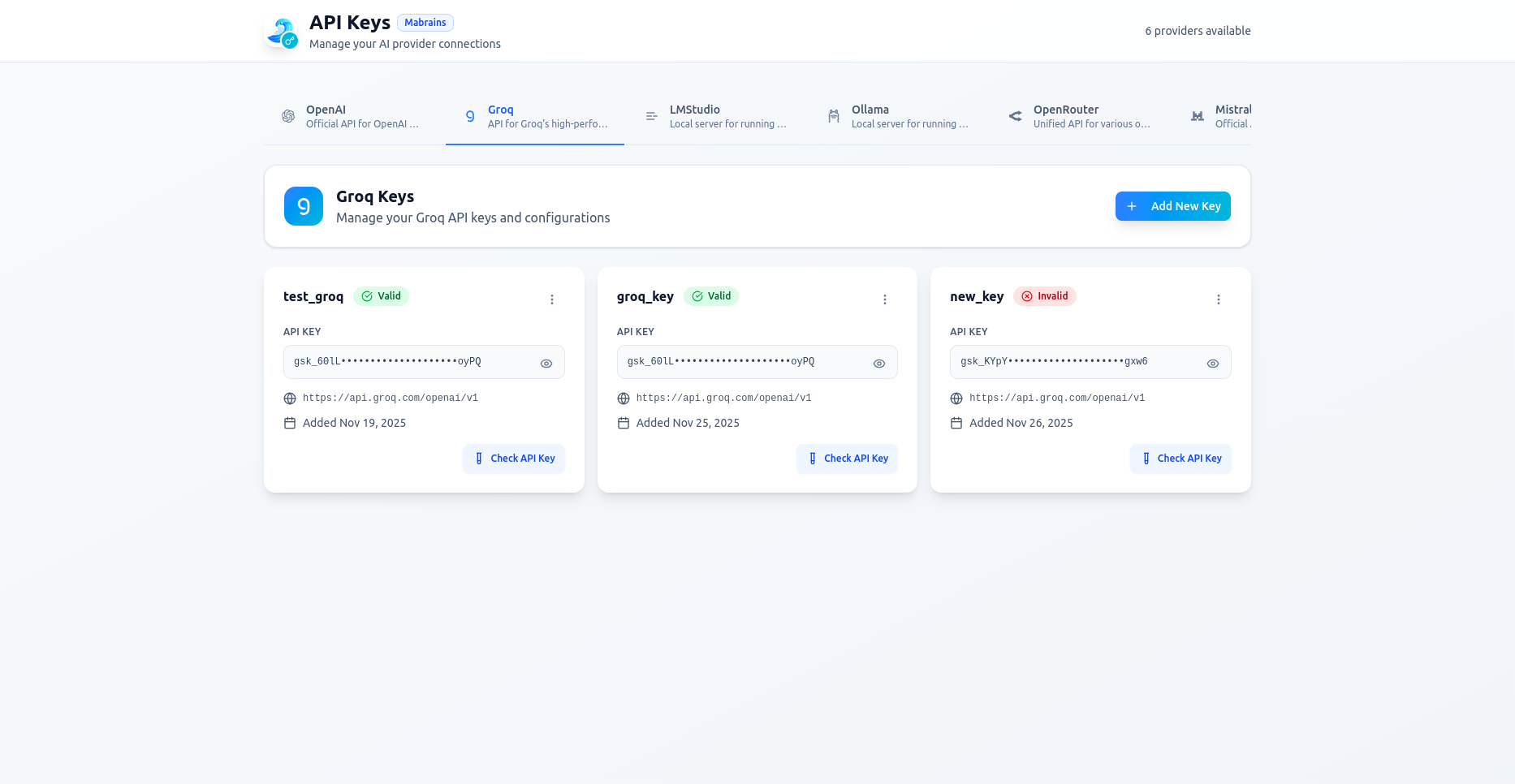
Each provider has its own tab with:
- A unified list of keys
- Add / edit / delete controls
- Validation status
- Endpoint override support
Adding a New API Key
Click Add New Key, then fill in:
- Key Name
- API Key (stored securely)
- Endpoint (auto-filled, customizable)
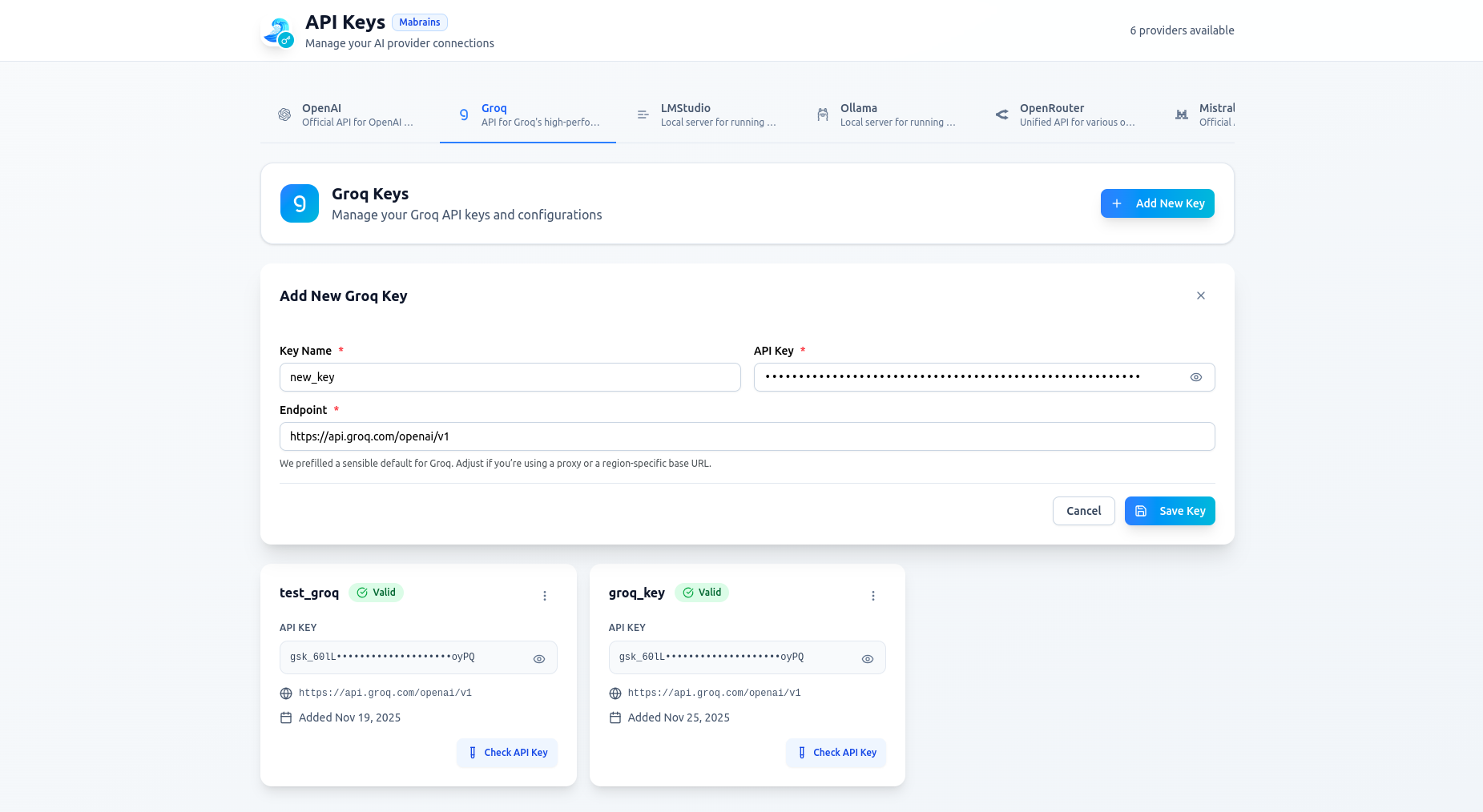
After saving, Mohet automatically validates the key.
Editing an Existing Key
You can rename the key, change the secret, or update the endpoint.
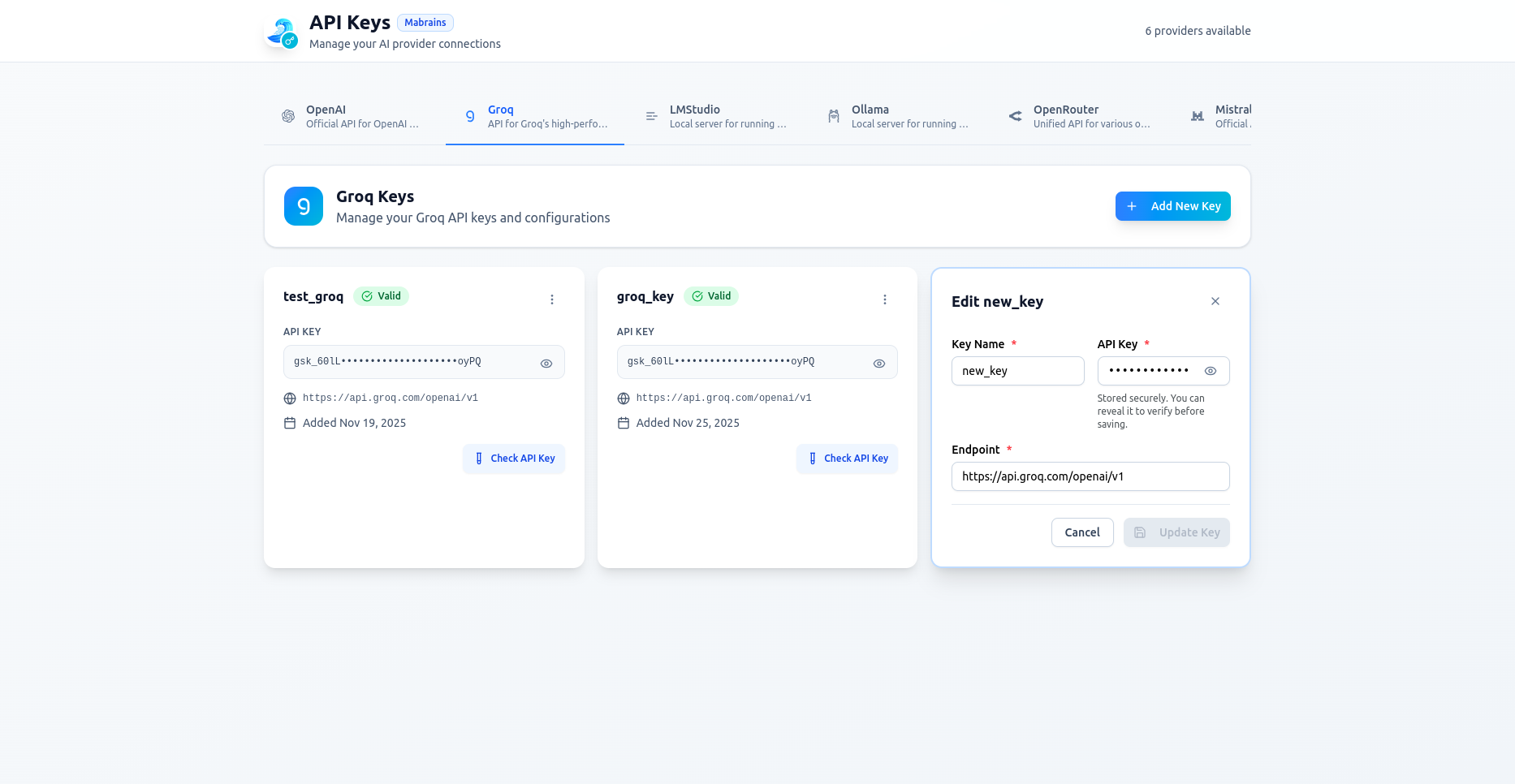
Saving revalidates the configuration.
Validation Results
Each key shows:
- Valid (green badge)
- Invalid (red badge)
- Check API Key button for manual revalidation
Deleting a Key
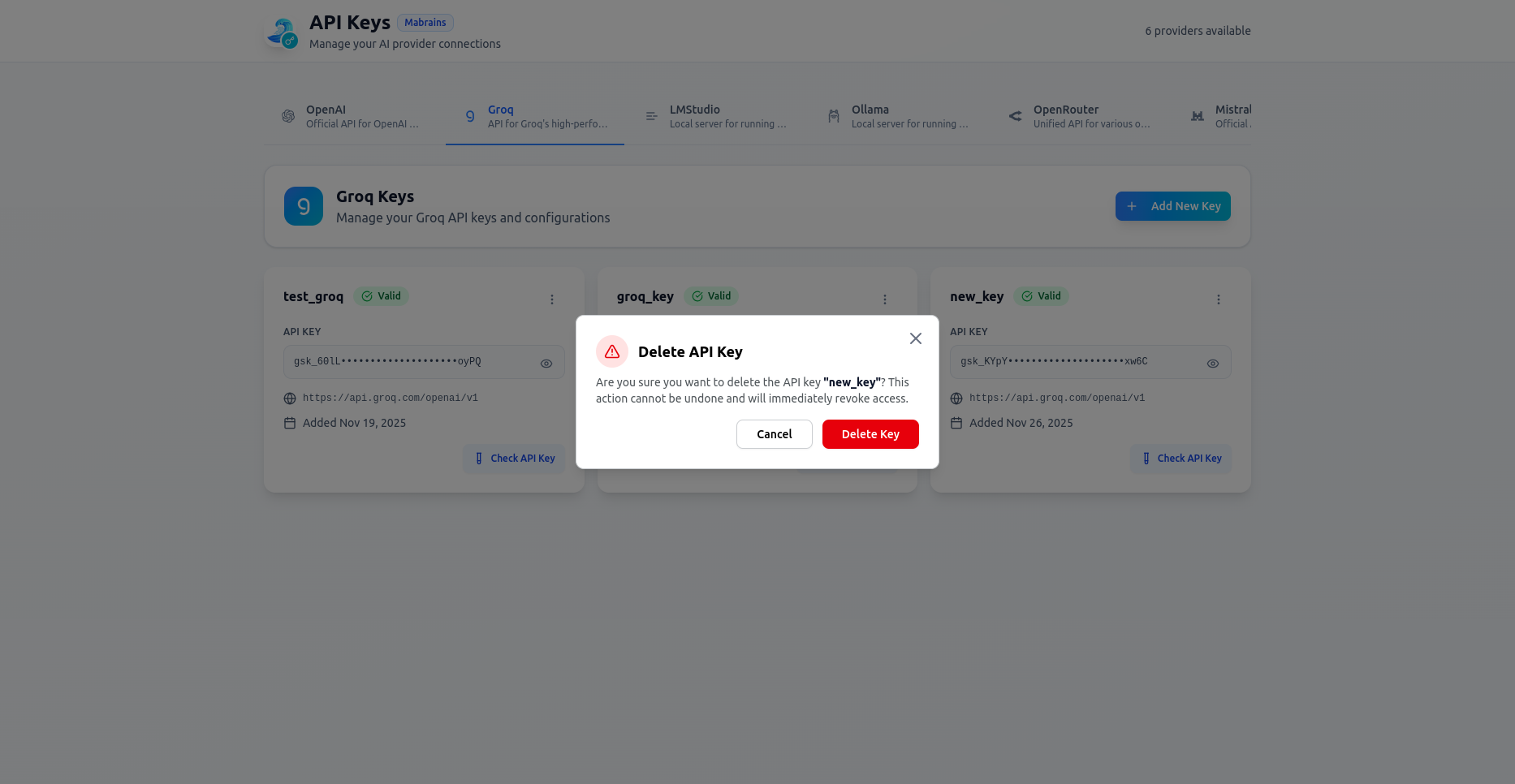
Deleting a key immediately revokes access. Mohet asks for confirmation before removing it.
If the key is currently selected in Mohet, an additional warning appears:
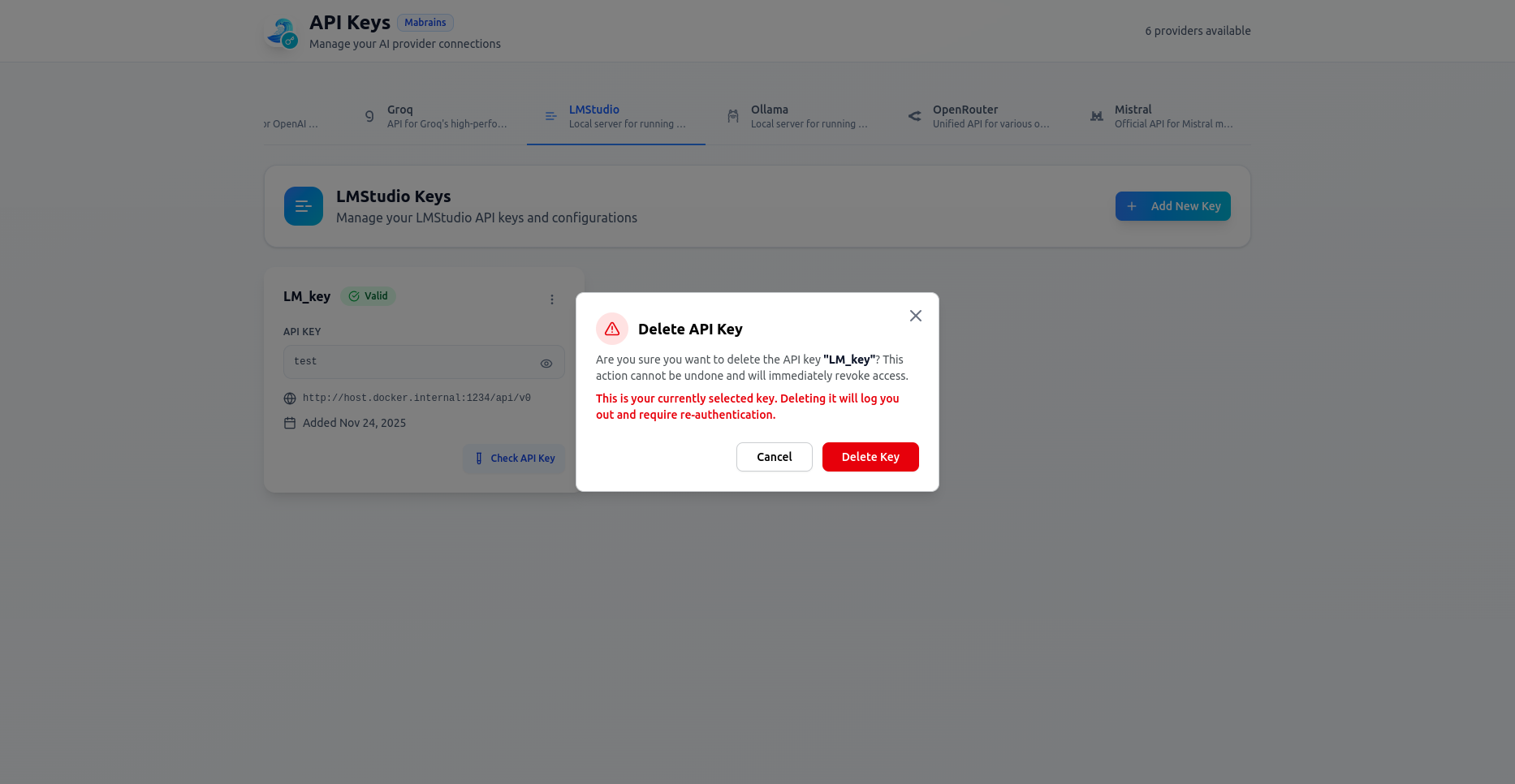
Deleting the active provider key logs you out from that provider and requires selecting another one.
Using Keys in Mohet
Once configured:
- All keys appear in the provider dropdown inside chat
- You can switch between providers at any time
- Mohet auto-selects recommended models per provider
If a key becomes invalid, Mohet will notify you and disable sending messages until corrected.
Summary
API Key Management lets you:
- Add, edit, validate, and delete provider keys
- Manage multiple providers in one place
- Override endpoints (useful for proxies, LMStudio, or local servers)
- Quickly switch providers during chat
This ensures you maintain full control over how Mohet connects to models, whether cloud-based or running locally.