Creating Commits
A commit saves the selected changes in your project.
If this is your first commit:
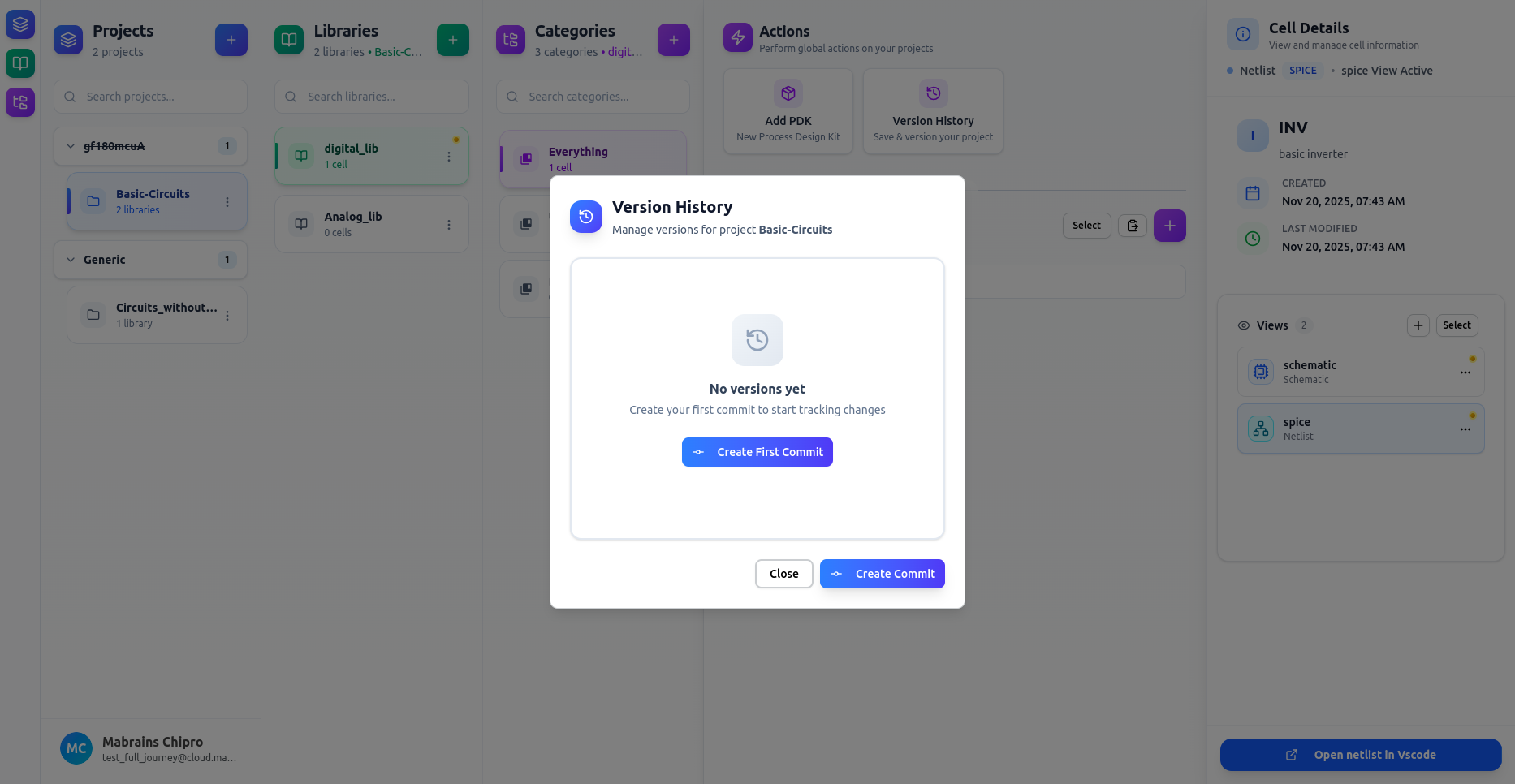
Click Create First Commit to initialize versioning.
Commit Panel
The commit panel displays all detected changes, grouped by status:
-
Green – Added
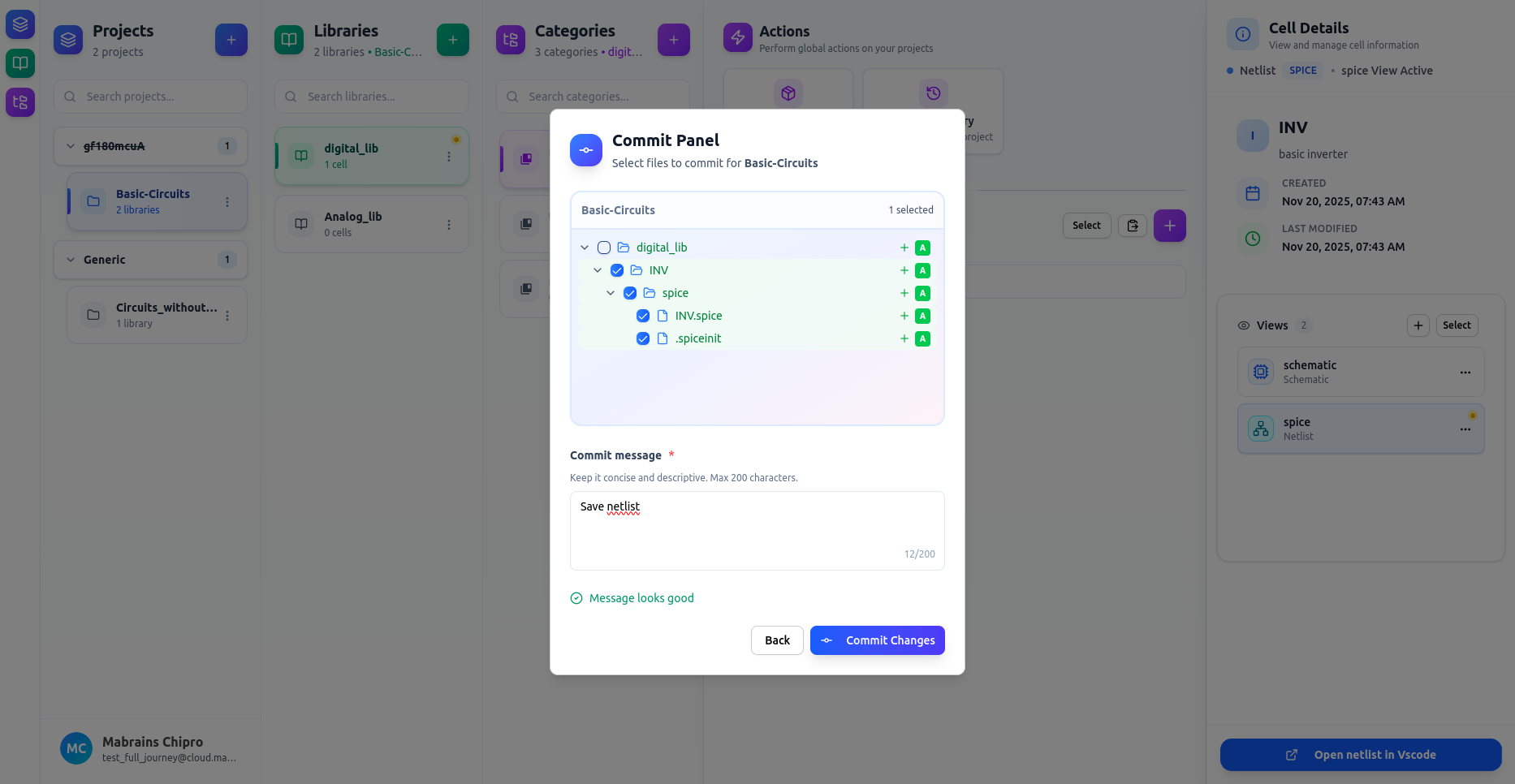
-
Orange – Modified
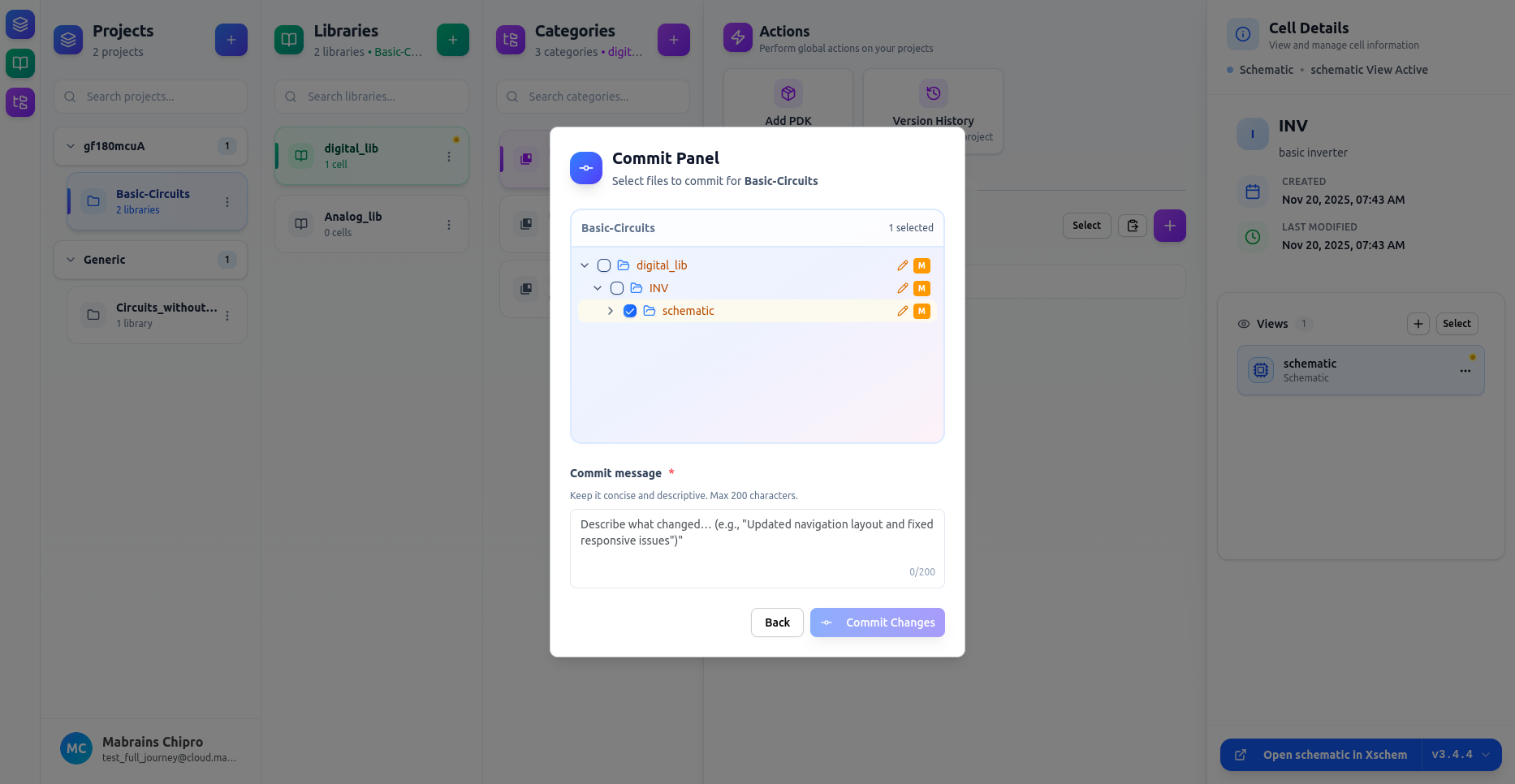
-
Red – Deleted
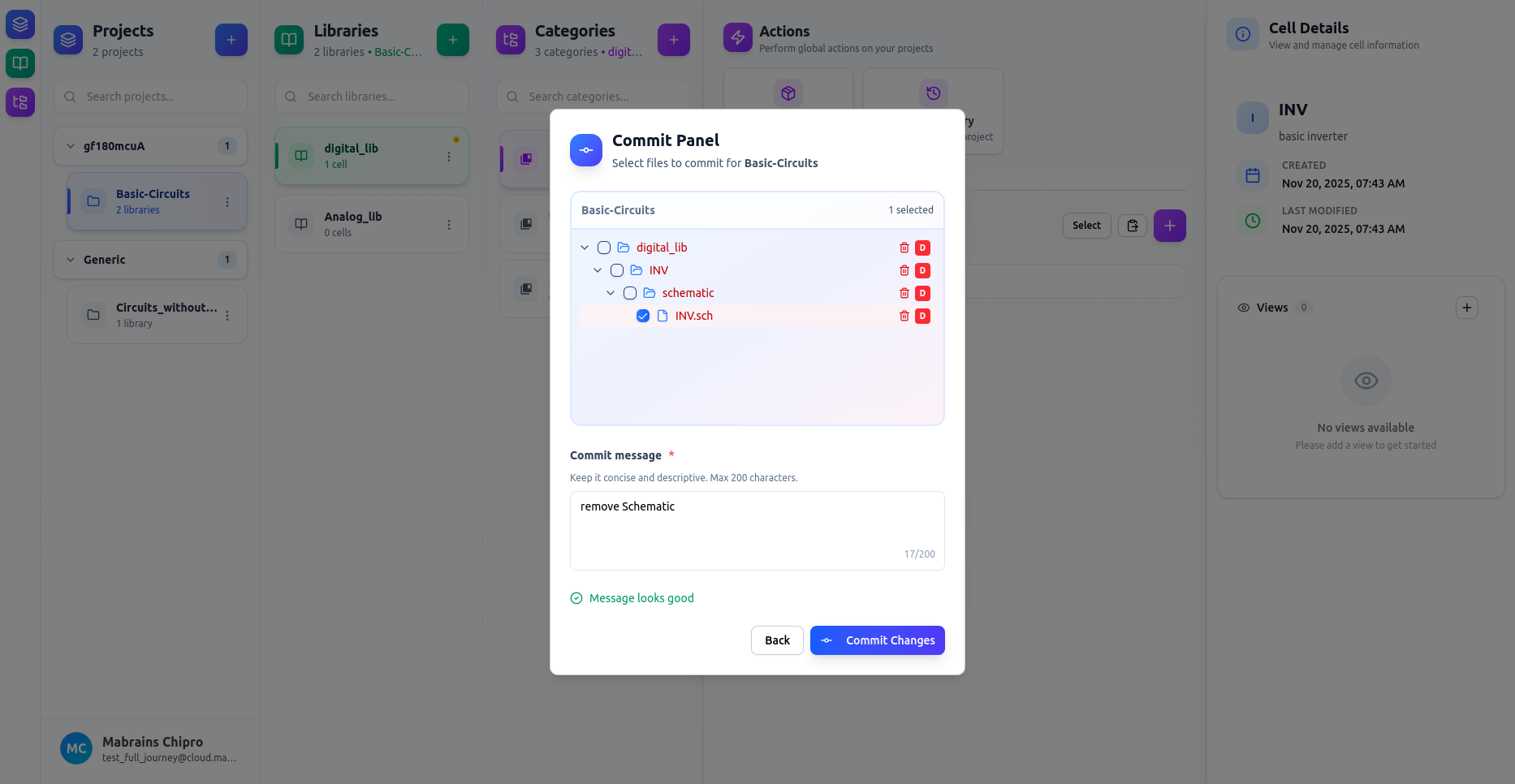
Enter a brief commit message, then click Commit Changes to save your updates.