Restoring Commits
You can restore your project to any previous commit at any time.
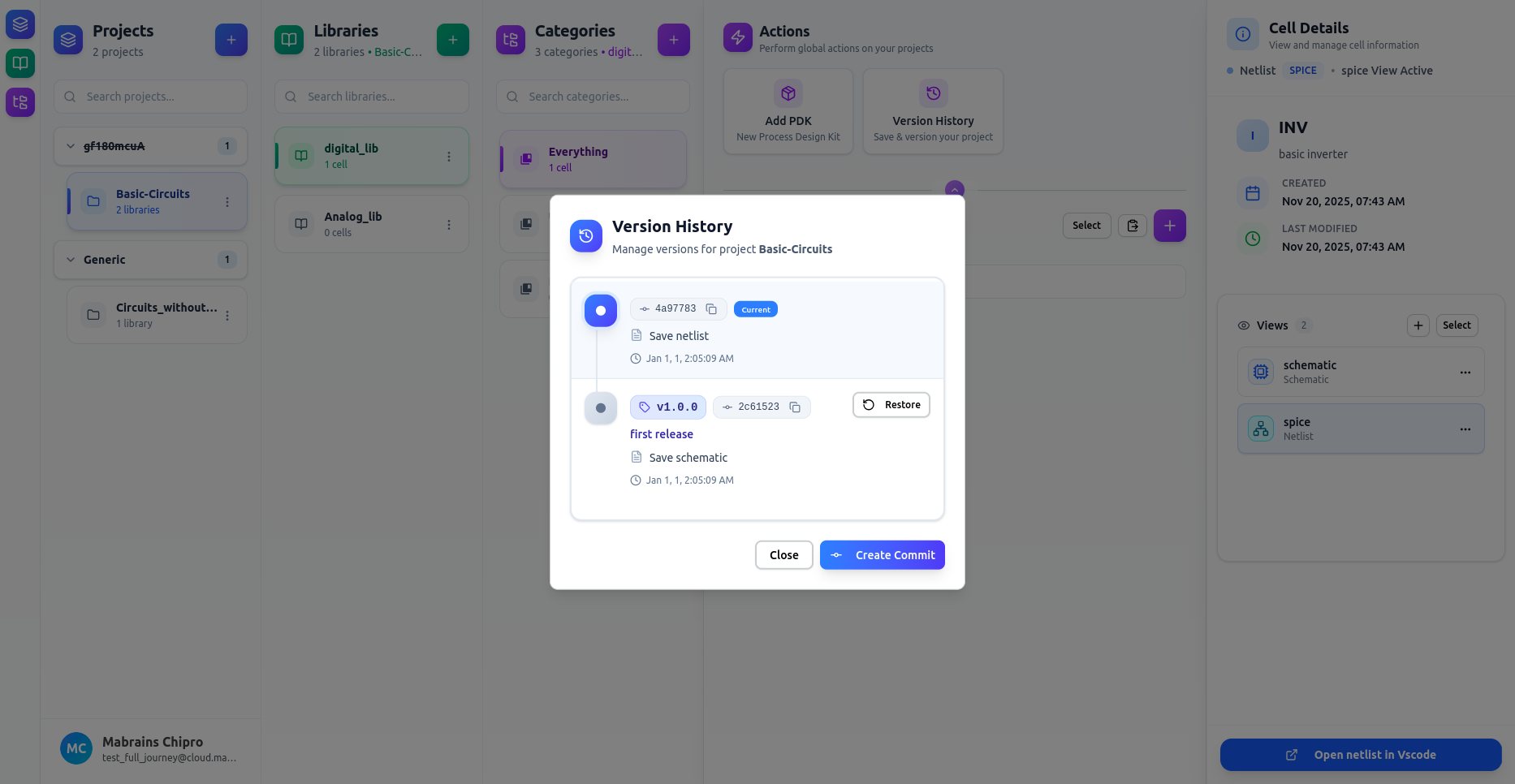
Hover the commit you want to return to, then click Restore.
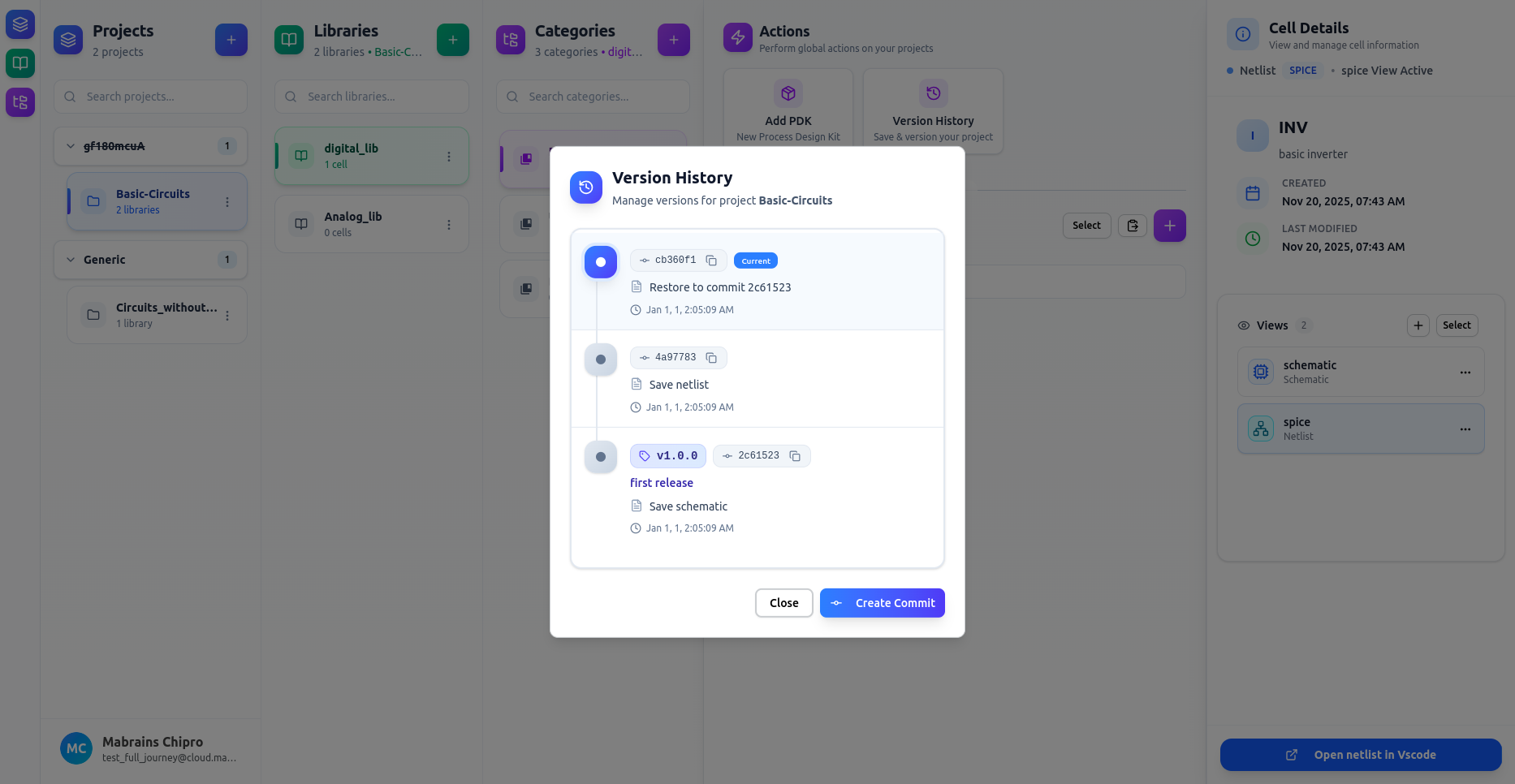
Your project files will be reverted to the selected commit.
No data is lost — all commits remain available in the history, so you can move between versions freely.