Update Chipro API Key
Mohet relies on your Chipro account API key to authenticate your workspace, load your chats, and unlock advanced platform capabilities.
This is separate from AI provider keys — it identifies your Chipro user account, not an AI model provider.
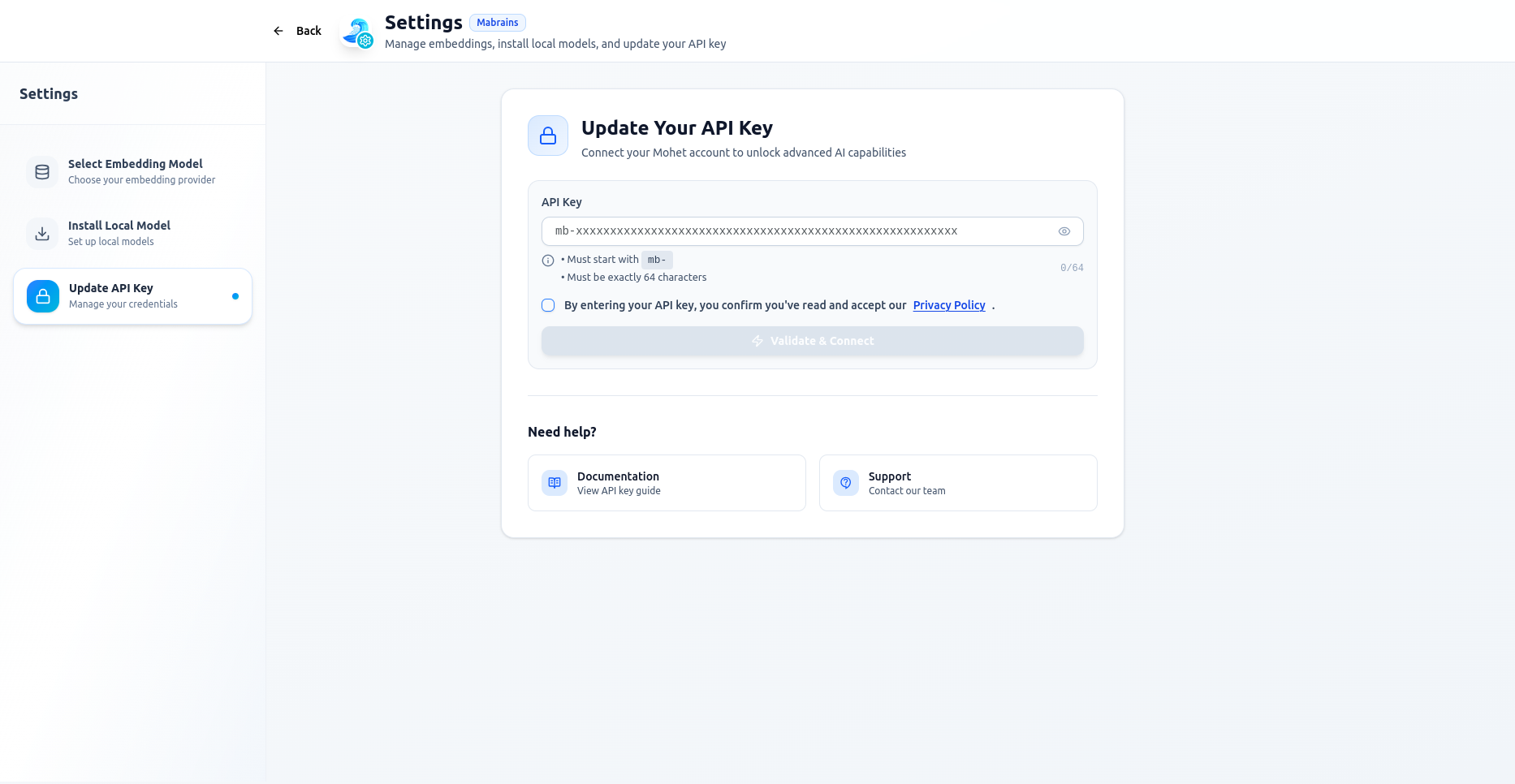
The Update API Key tab inside Mohet Settings provides a secure, self-contained way to:
- Switch to a different Chipro account
- Rotate your Chipro API key for security
It is designed for quick access and safe updates without affecting any of your chat history or model configurations.
Accessing the Update Screen
Navigate to:
Settings → Update API Key
What Updating the Chipro Key Affects
Changing the Chipro key does not alter AI provider configurations, embeddings, or model selections.
It only updates:
- Your Chipro account identity
- Workspace-level permissions
- Shared resources tied to your account
Troubleshooting
Authentication Error Dialog
If Mohet detects an expired or invalid key while you're in the middle of a session, it will:
- Block all chat actions
- Show a modal explaining the issue
Updating the key resolves the lockout.
Can't Click “Validate & Connect”?
Ensure:
- The acknowledgment checkbox is selected
- The key starts with
mb- - The length counter shows
64/64