Create a View
You can add a new view to a cell using:
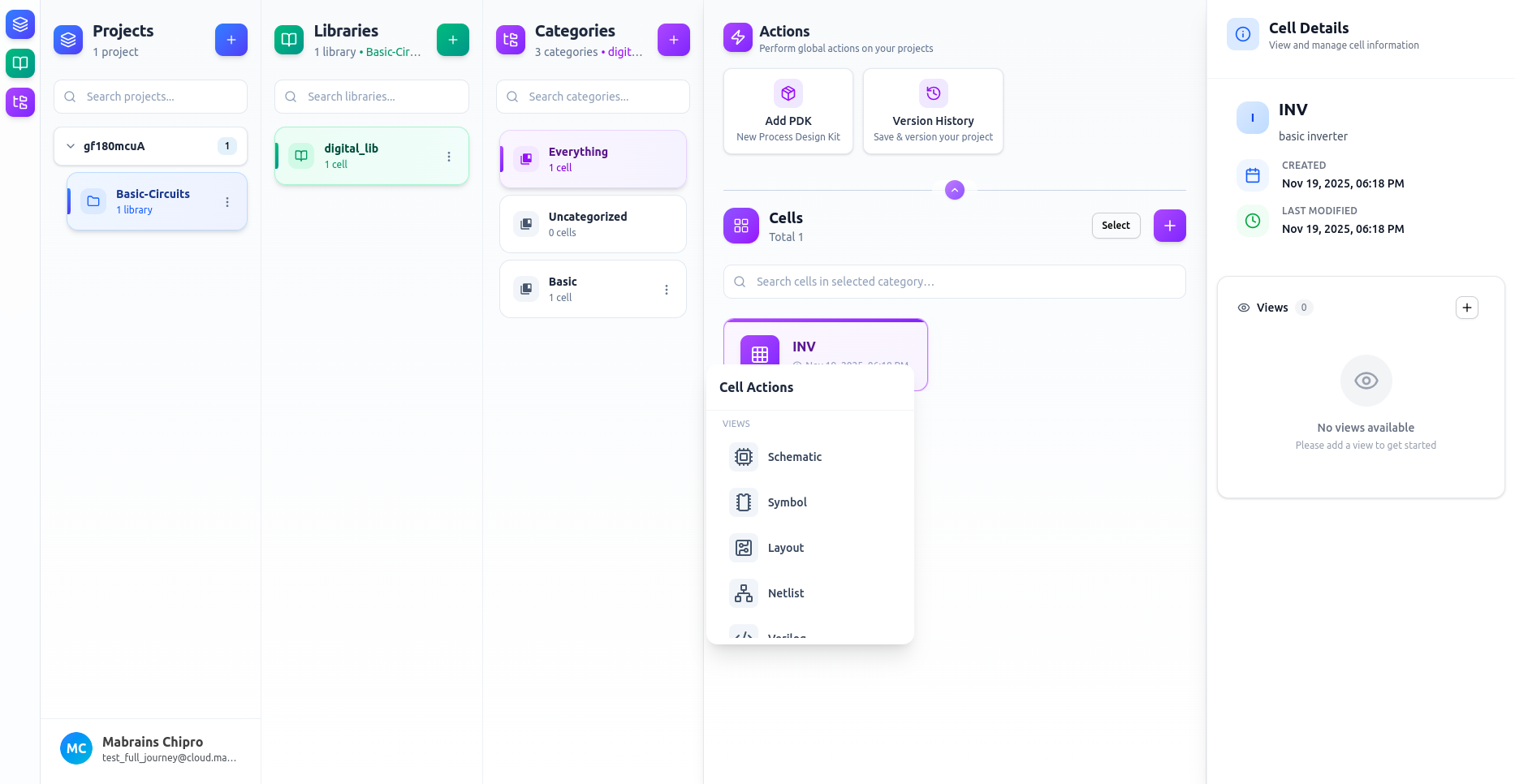
Option A — From the Cell Actions Menu
- Select a cell
- Click … on the cell
- Choose a view type (Schematic, Symbol, Layout, Netlist, Verilog, LibreLane)
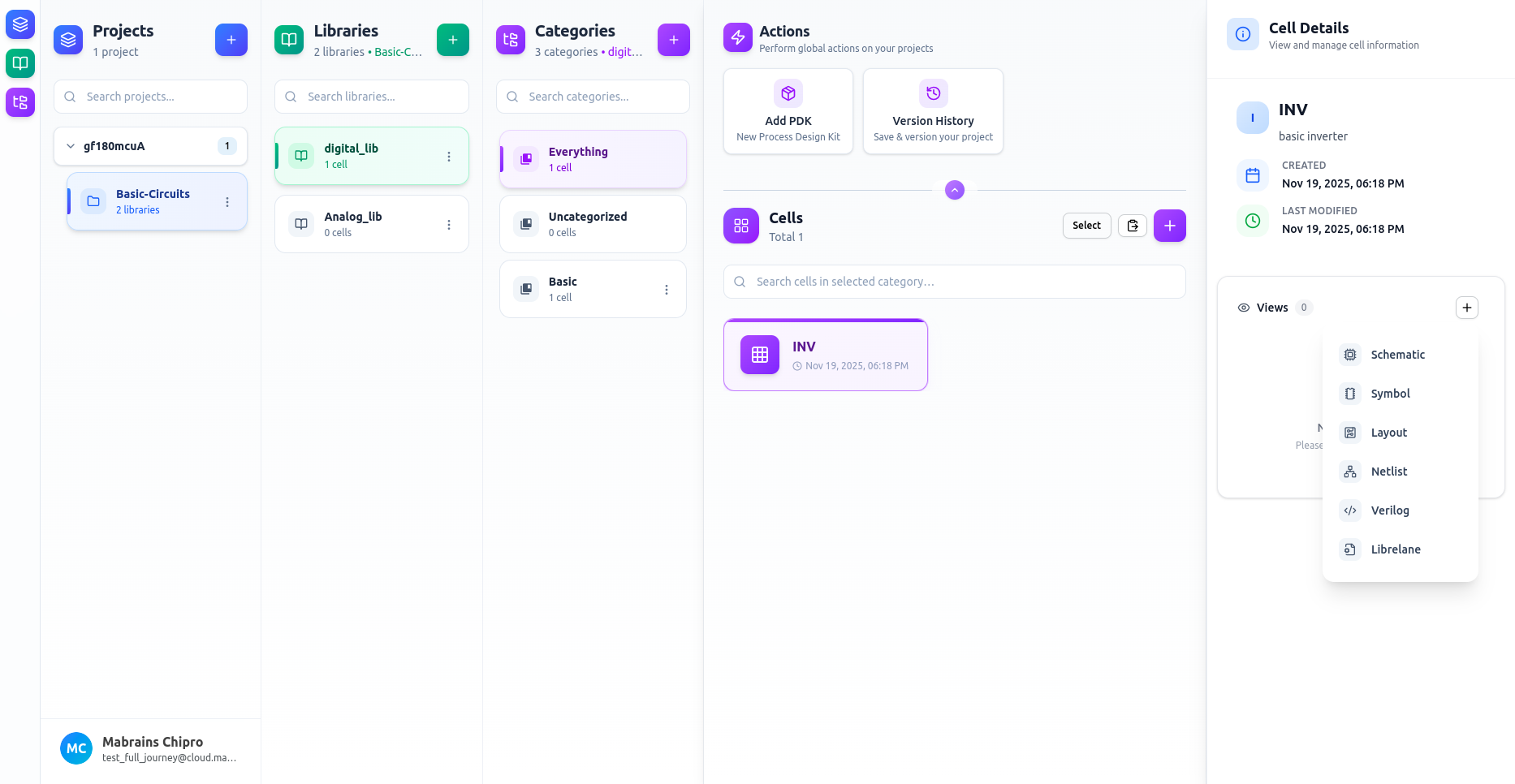
Option B — From the Views Panel
- Select your cell
- Click the + button in the Views panel
- Choose a view type (Schematic, Symbol, Layout, Netlist, Verilog, LibreLane)
View Dialogs
When you choose a view type, a Create <View Type> dialog opens.
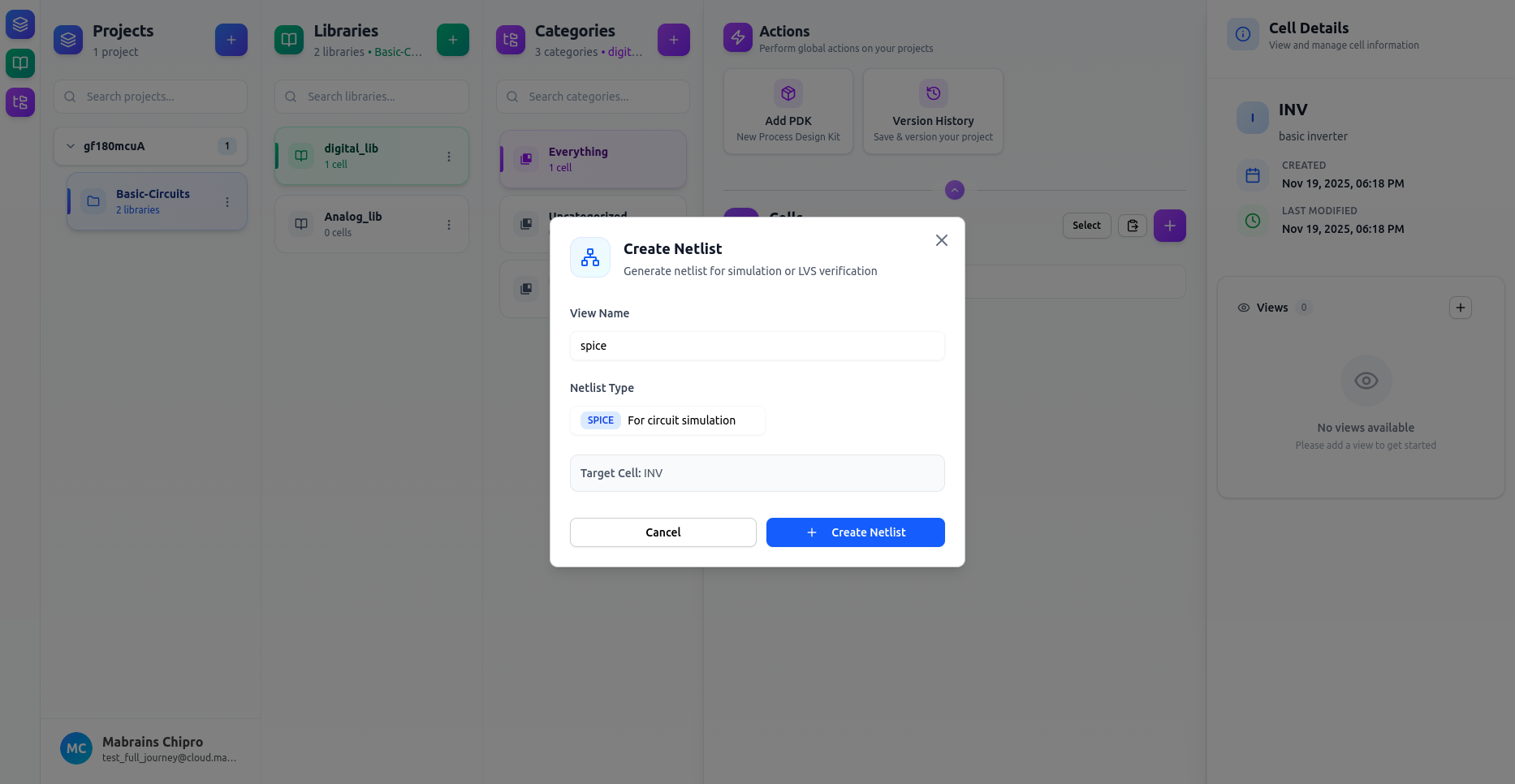
Netlist Views — Choose Netlist Type
For Netlist views you must:
- Enter a View Name
- Choose a Netlist Type:
- SPICE – for circuit simulation
- LVS – for layout-vs-schematic verification
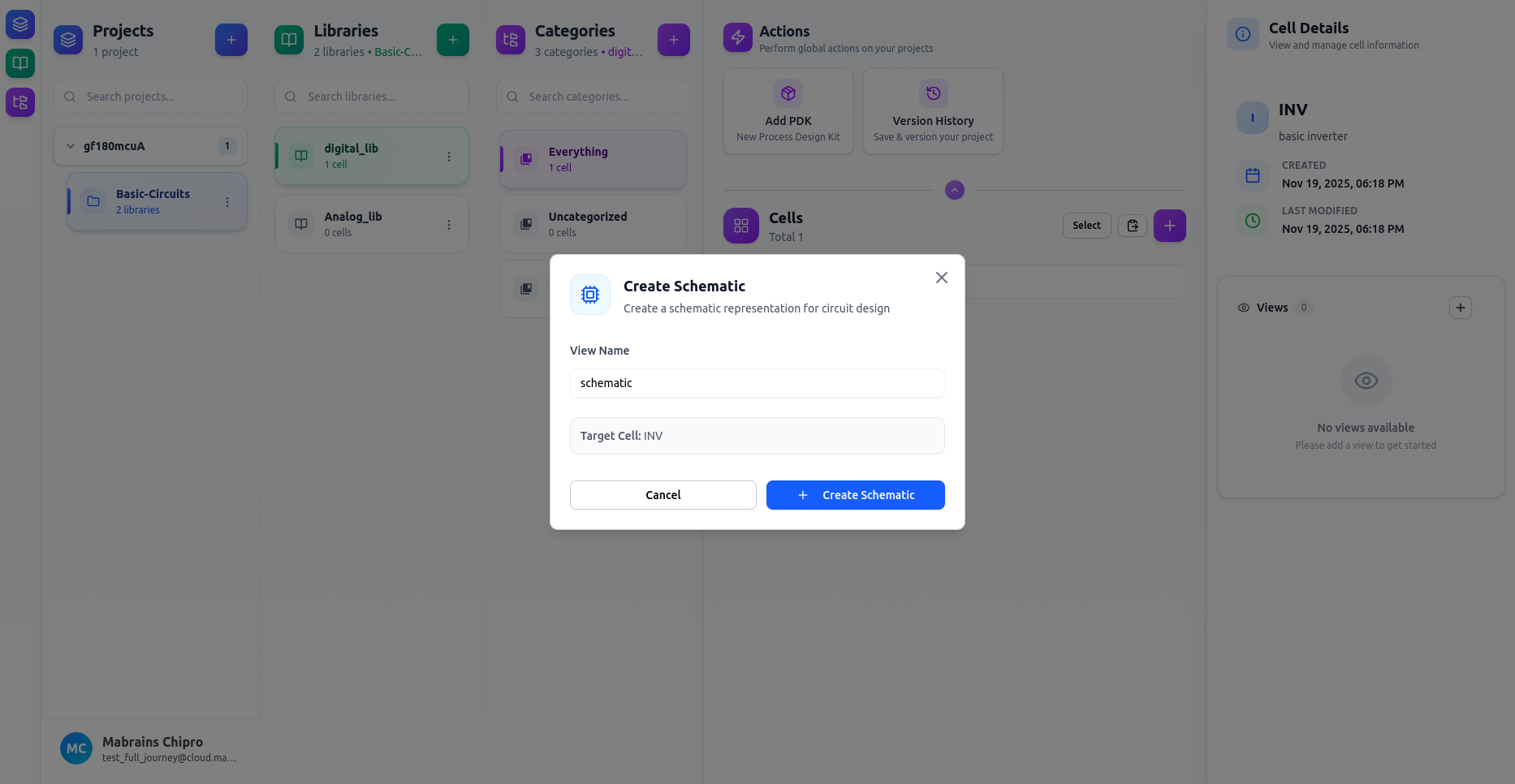
Other View Types — Just Name the View
For all other view types (Schematic, Symbol, Layout, Verilog, LibreLane) you only need to enter a View Name.
Available View Types
| View Type | Purpose | Editor Tool |
|---|---|---|
| Schematic | Draw circuit schematics | Xschem |
| Symbol | Create symbols for hierarchy | Xschem |
| Layout | Physical design (GDS, layers, etc.) | KLayout |
| Netlist | Generate SPICE/LVS netlists | VSCode UI |
| Verilog | HDL / SystemVerilog coding | VSCode UI |
| LibreLane | Launch OpenLane/LibreLane workflows | VSCode UI |
info
Some view types depend on your project configuration:
- The LibreLane view becomes available only after a PDK is installed.