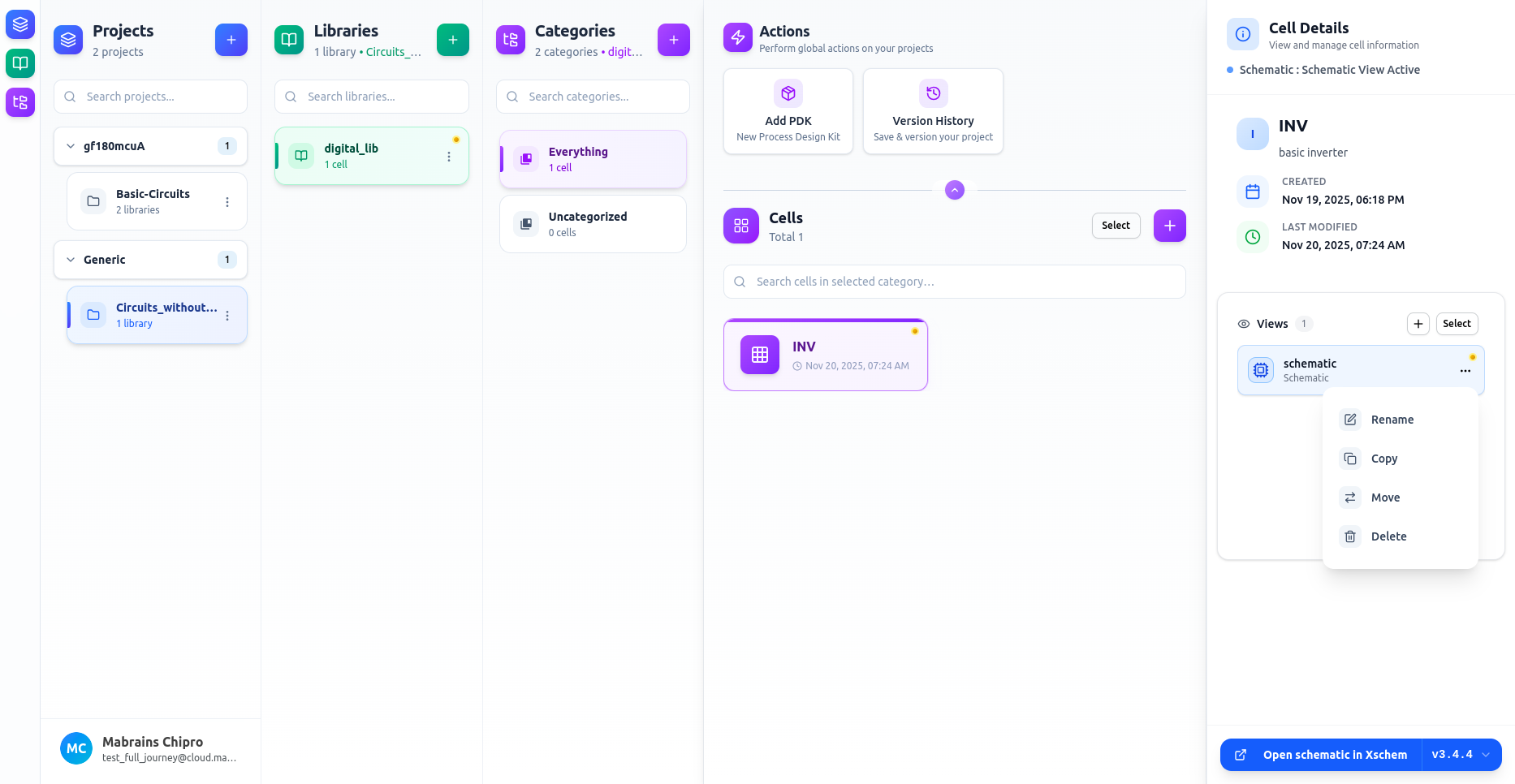
You can manage each view individually using the three-dots menu on the view card.
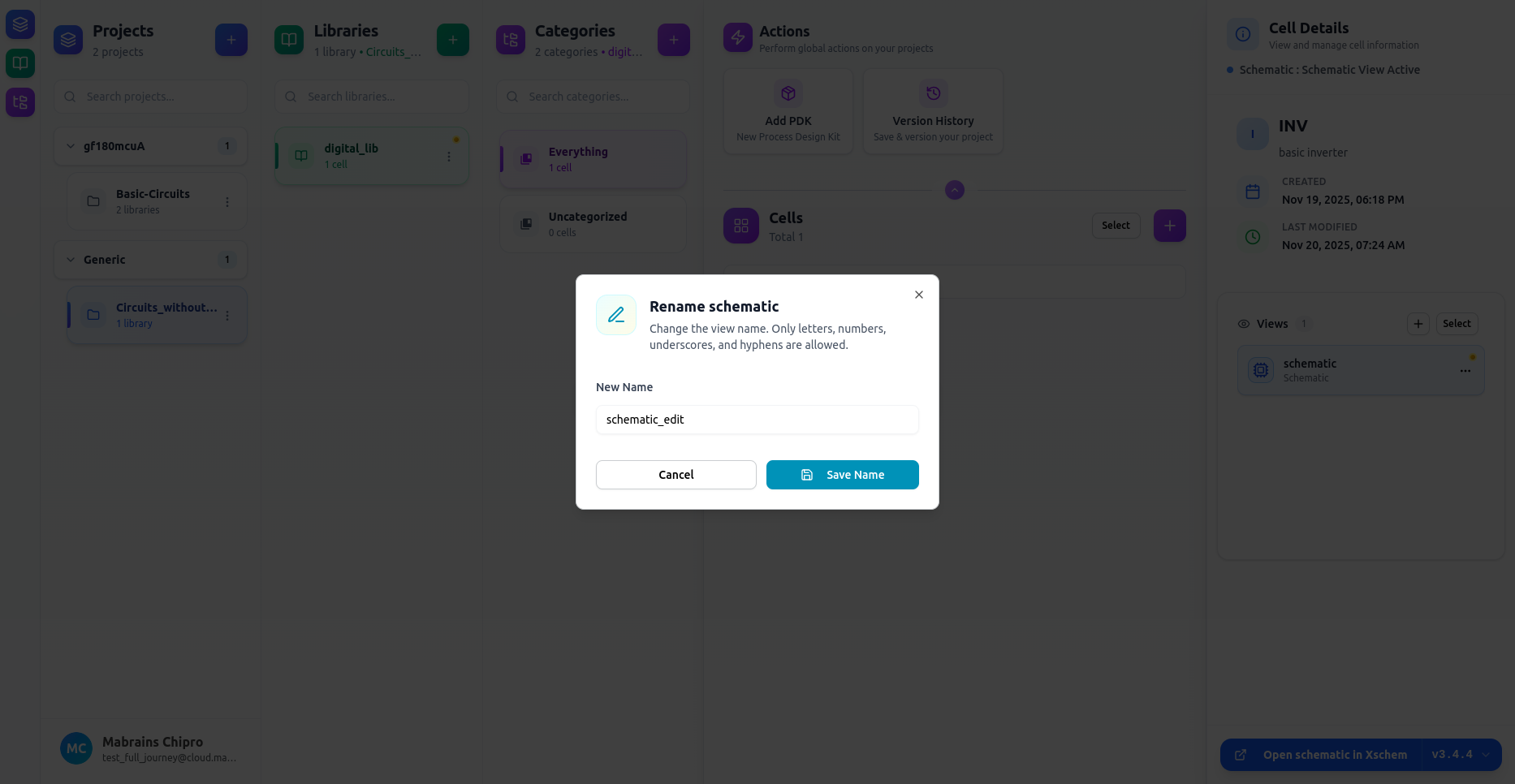
Rename a View
- Click …
- Choose Rename
- Enter a new name
- Save
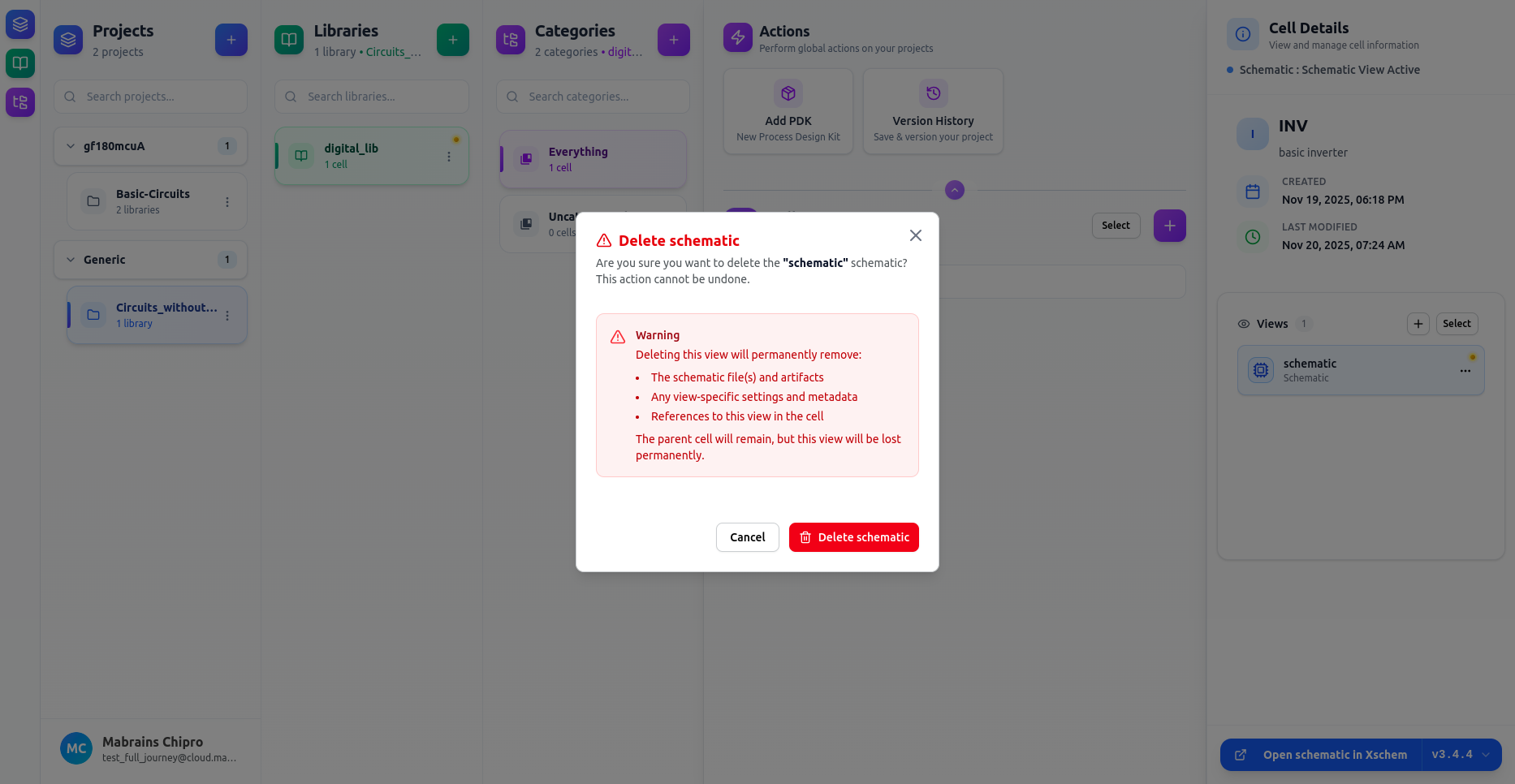
Delete a View
Removing a view permanently deletes:
- All files for that view
- All view-specific metadata
- References to this view