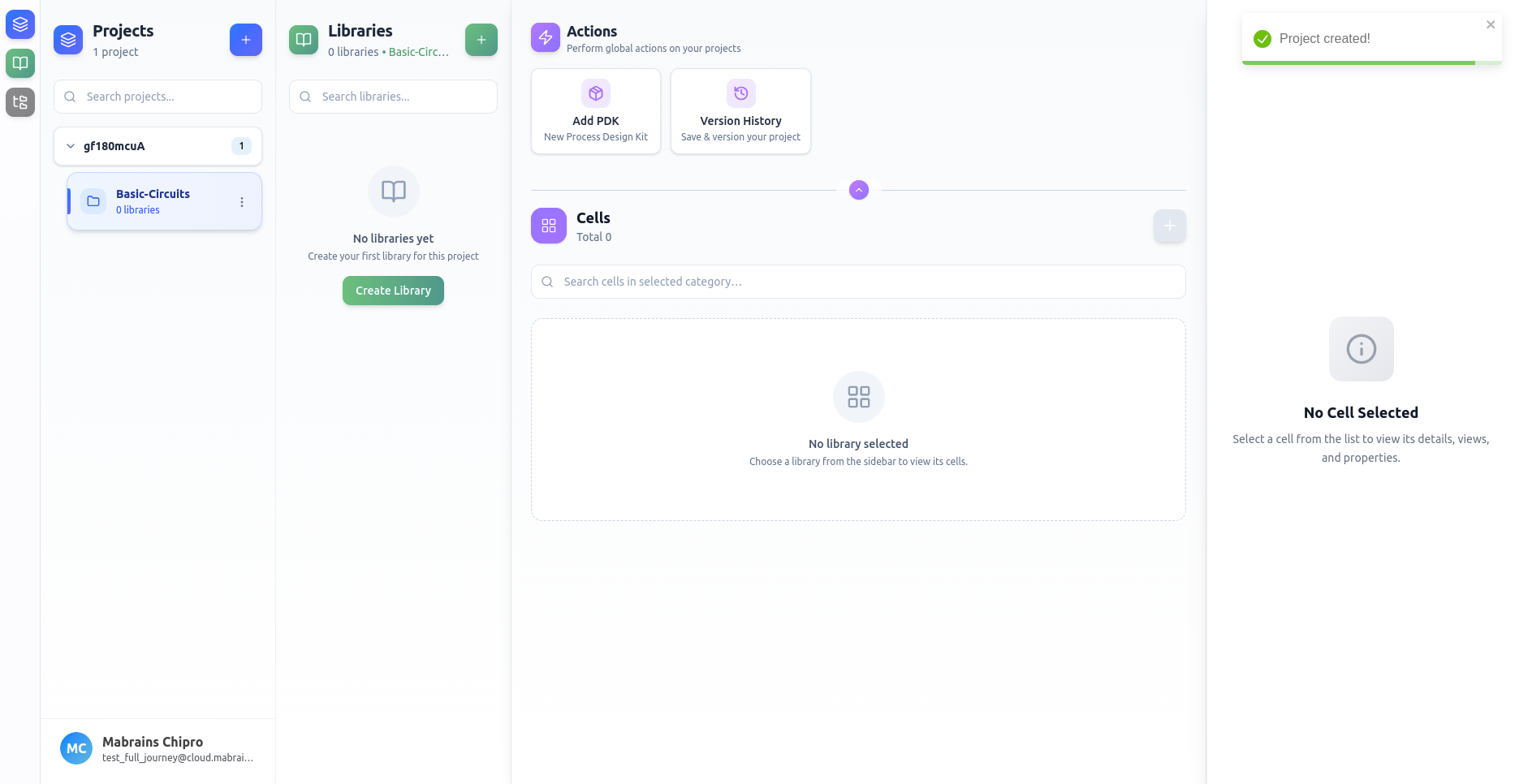
Create a Project
Creating a project is the first step in organizing your design data.
Opening the Project Form
Click Create Project or the “+” button in the Projects sidebar to open the form.
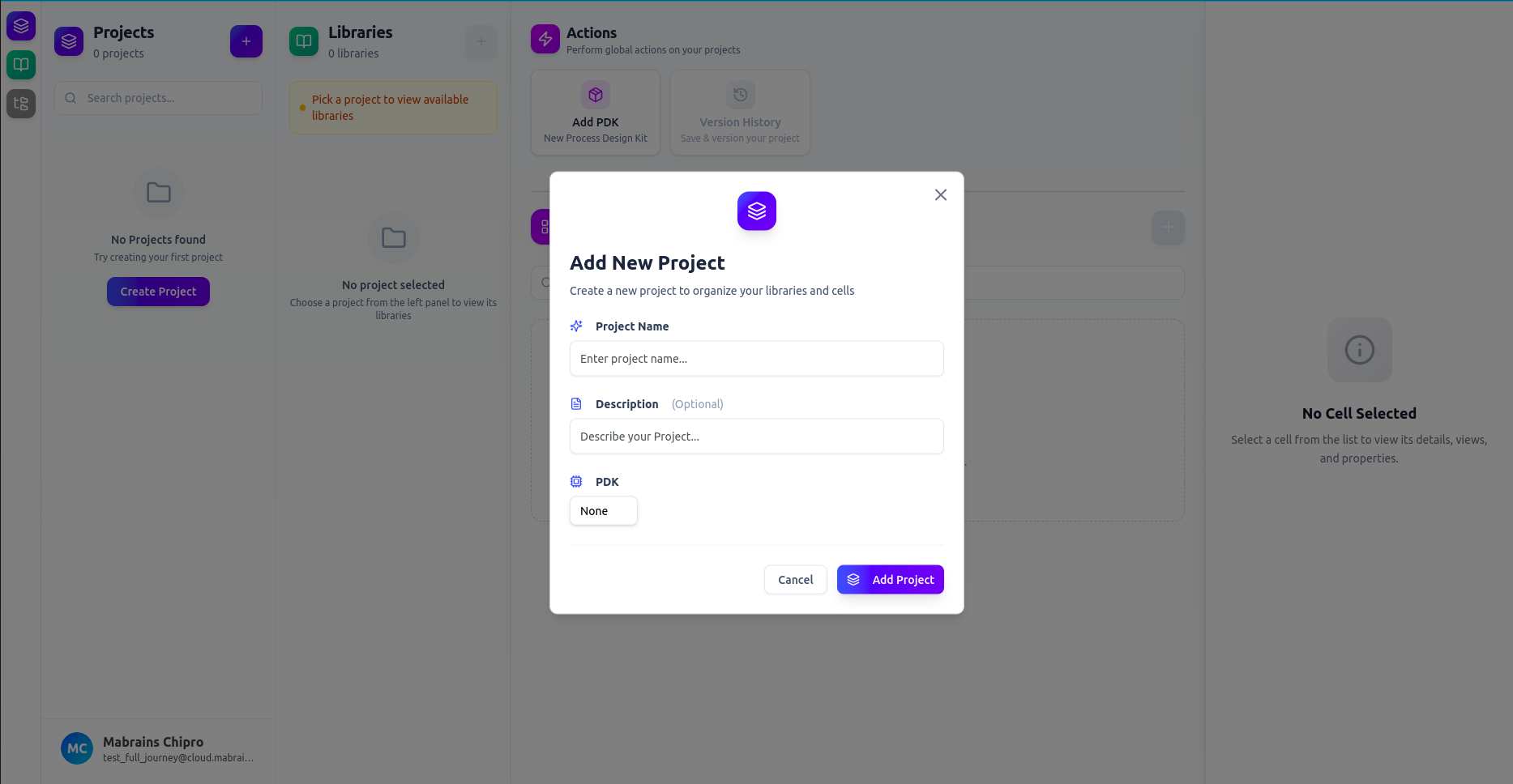
Filling Project Details
Add your project information:
- Project Name (required)
- Description (optional)
- PDK (select a technology or leave unset)
Example:
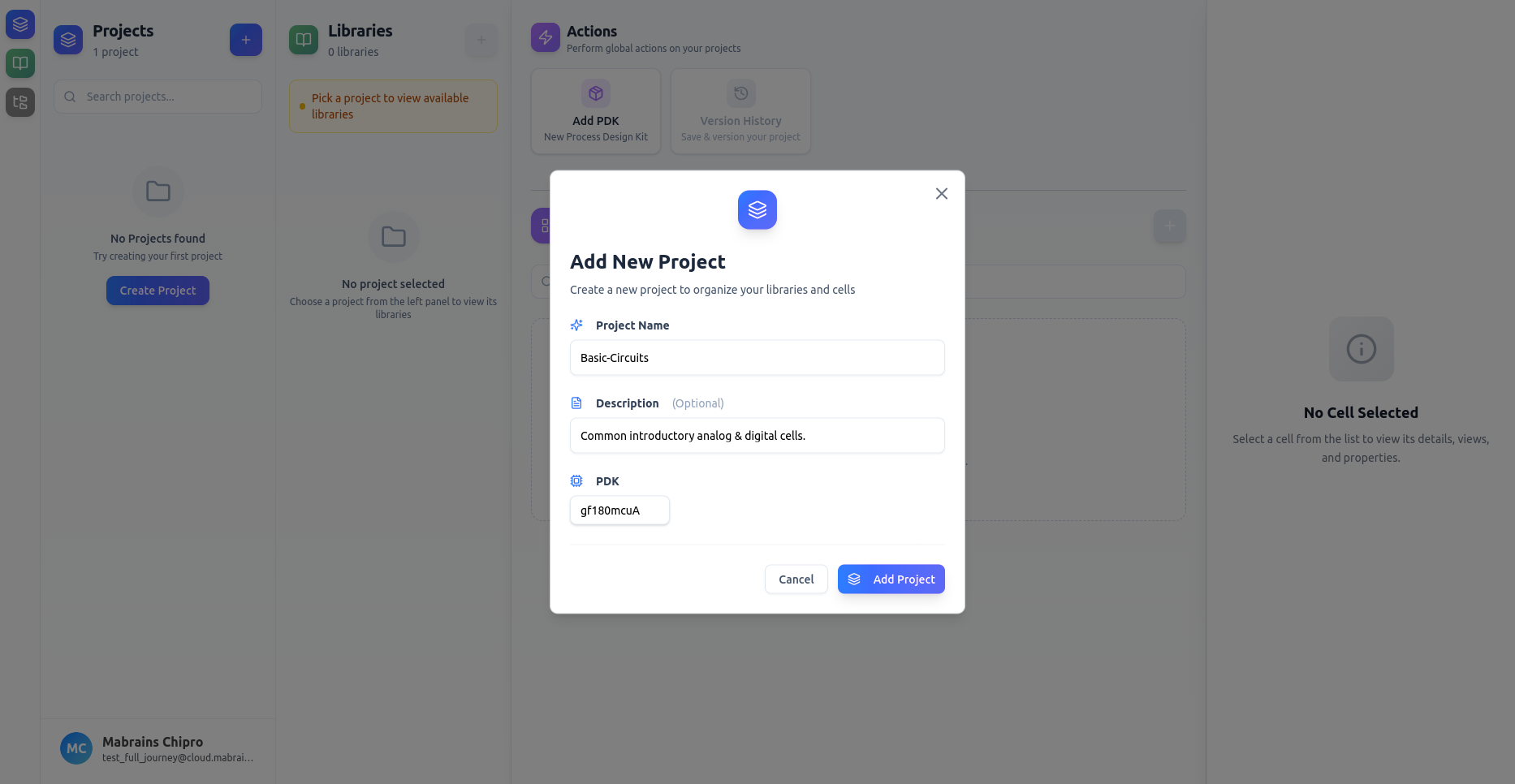
warning
Once you have selected a PDK, you cannot change it later.
Project Created
After submitting, the new project appears in the sidebar and becomes your active workspace.